Unsaved work comes first
If an app still needs your confirmation to save or close, Aion leaves the final decision to you.
Context-aware auto-quit for macOS
Aion keeps Cmd+Tab, your menu bar, and background clutter under control by closing apps that are actually idle while protecting the work your Mac is still doing.
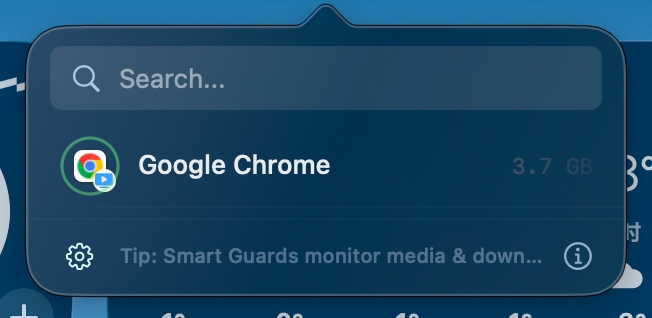
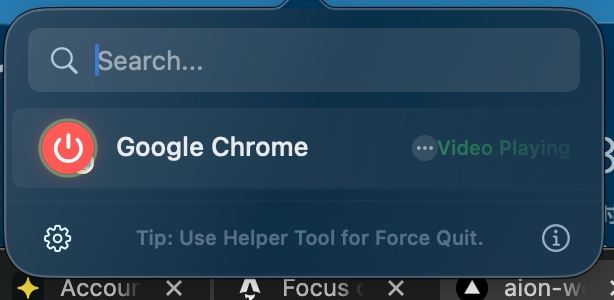
Aion can keep an app protected when it is still downloading or playing media instead of treating it like idle background clutter.
Aion is conservative by design. It checks what the app is doing before it quits anything.
If an app still needs your confirmation to save or close, Aion leaves the final decision to you.
Day-to-day cleanup uses normal macOS quit behavior with protection checks, not an aggressive kill routine.
Downloads, playback, and mic or camera activity can pause cleanup until the app is truly idle.
Maker
ProcessZero Team
Support
[email protected]Refunds
14-day refund policy for Pro purchases.
Data behavior
App activity checks stay on your Mac.
Context-aware auto-quit for macOS
Most auto-quit utilities only look at idle time. Aion also looks at what the app is still doing before it decides to clean it up.
May still be treated like normal background idle time after the timeout expires.
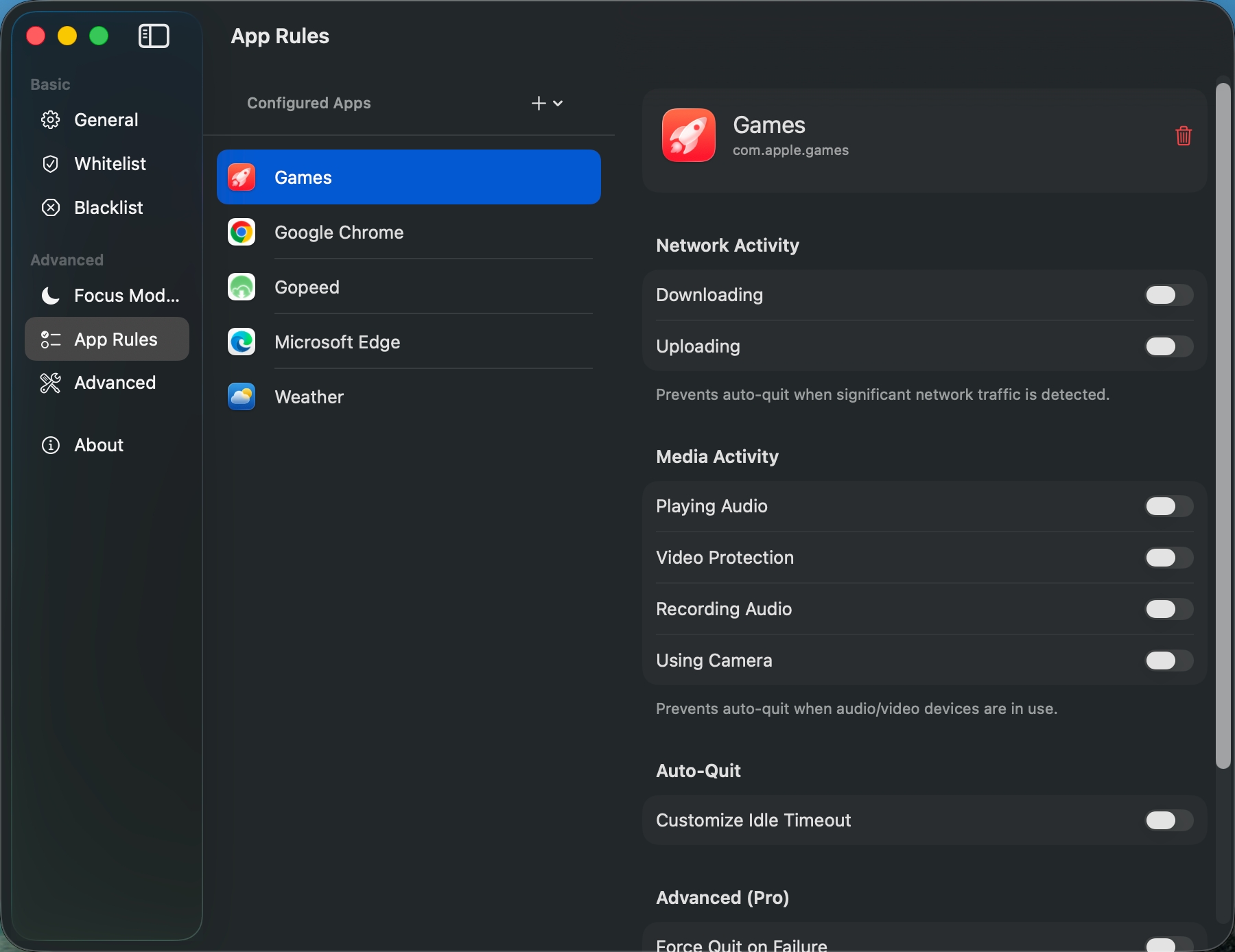
Network activity can keep the app protected instead of being quit too early.
Only sees that the app has been in the background for a while.
Mic and camera activity are part of the protection logic.
Usually requires the same idle rule for everything.
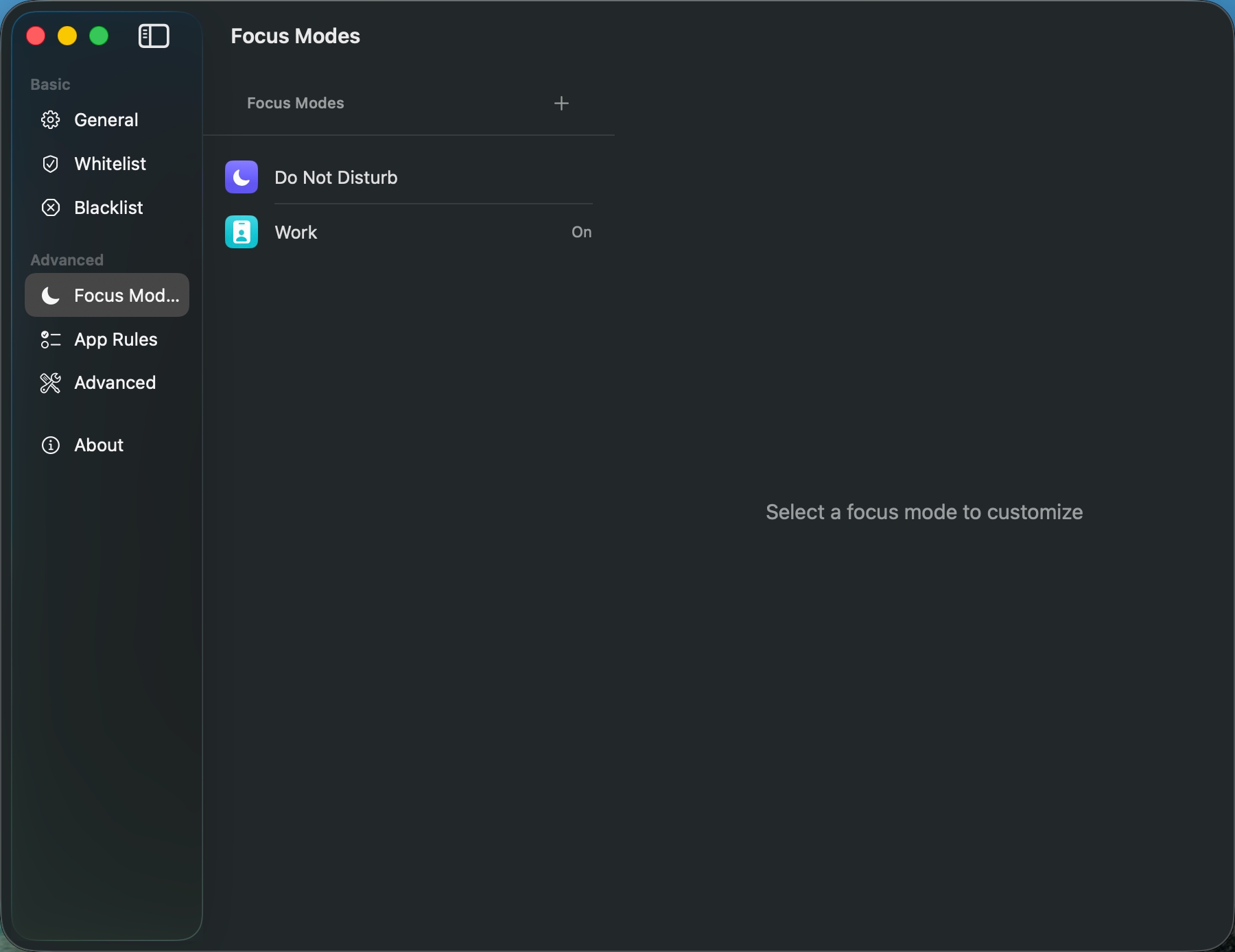
Modes, Focus sync, and per-app rules let you tune behavior by context.
Still behaves like a normal app with a normal timeout.
Instant Task mode lets short-lived utility apps disappear right after use.
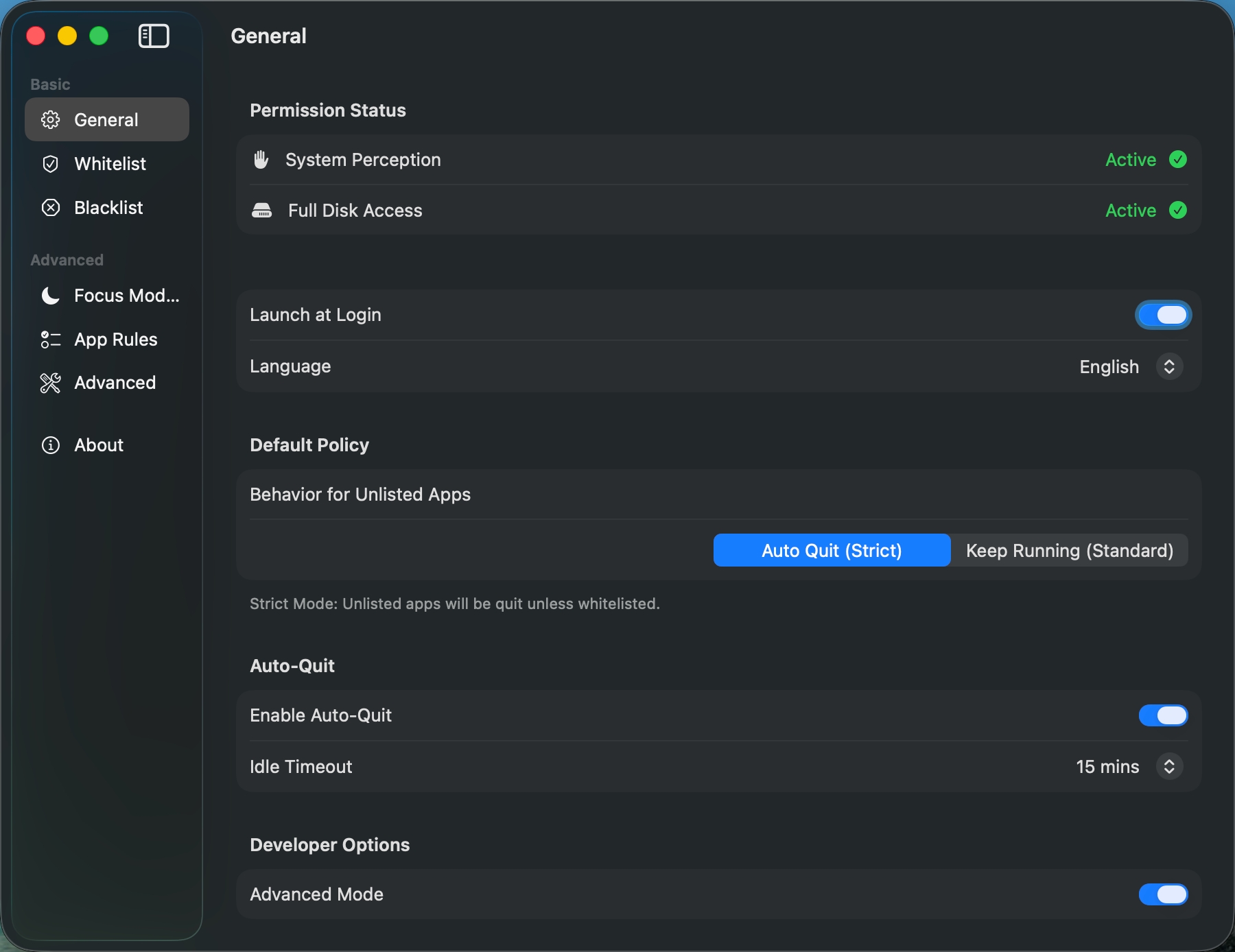
Aion does not rely on a blunt timer alone. It closes apps when they are truly idle, with per-app timeouts when you need them.
Use different rules for work, meetings, and personal time instead of forcing every app into the same timeout.
Real-time detection for mic and camera usage. Aion automatically protects your apps during meetings, recordings, or live sessions.
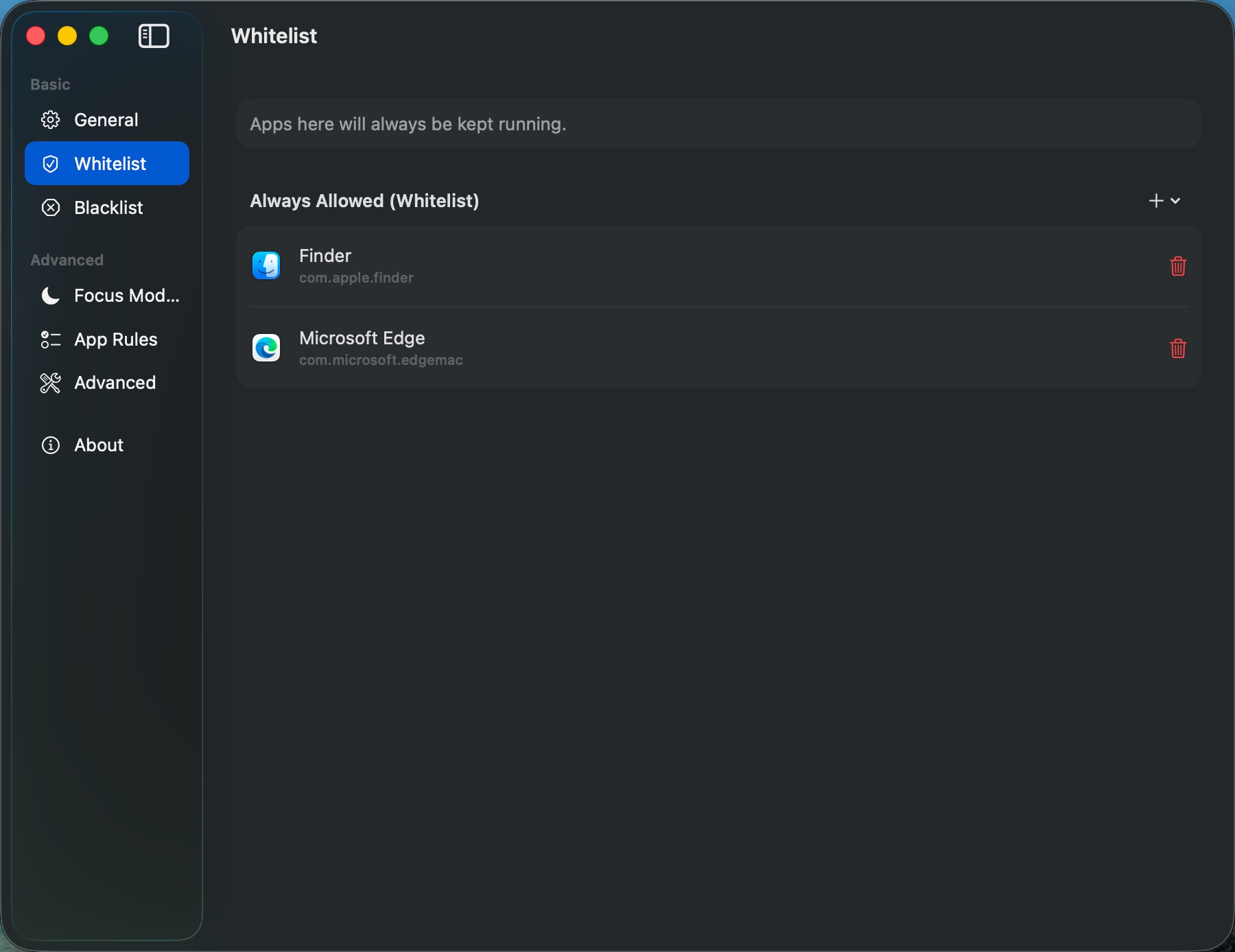
See which apps are open, what they are using, and why they were protected or cleaned up from the menu bar.
Tie rules to macOS Focus Modes so your cleanup behavior changes automatically with your day.
Automatically eject leftover installer DMGs after an app is moved into Applications, and clean old Aion mounts in the background.
For local automation
Aion can protect an app while a local AI or agent workflow is actively using it, instead of treating that app like ordinary background idle time.
The current integration is local-only: a same-user socket between Aion and your local automation runtime.
After lease expiry and grace, Aion can ask the live holder once whether it should allow close or extend protection.
The public guide documents the stable message flow you can rely on, without freezing every internal implementation detail forever.
If you are building a local browser agent, editor agent, or other automation runtime that should keep an app open while it works, start with the public AI integration page.
Read the AI integration guideOne-time purchase. Lifetime ownership. No subscriptions.
macOS 14+ | Intel & Apple Silicon
Traditional timers blindly count down and often kill apps during meetings or active downloads. Aion features 'Task Insight' that monitors mic, camera, media playback, and network activity. Crucially, Aion uses standard macOS quit flows first, allowing apps to show unsaved-work prompts instead of force-quitting them.
Free is not a short trial. It includes basic auto-quit, whitelist/blacklist, and live resource insights. Pro unlocks unlimited Focus Modes, unlimited app rules, app variant detection, and iCloud sync.
Pro purchases are covered by a 14-day refund policy. Email support with your order email and request a refund within 14 days of purchase.
The single license is for 1 Mac. The 3-Mac Pack covers up to 3 Macs you own, such as your personal and work devices.
No. App monitoring and rule decisions run locally on your Mac. If you make a purchase, only the information needed to complete the order is handled during checkout, not your app activity data.
No. Pro is a one-time purchase with lifetime updates under the current policy.
Start with the Free version. Upgrade later only if Pro fits your workflow.
macOS 14+ | Intel & Apple Silicon